
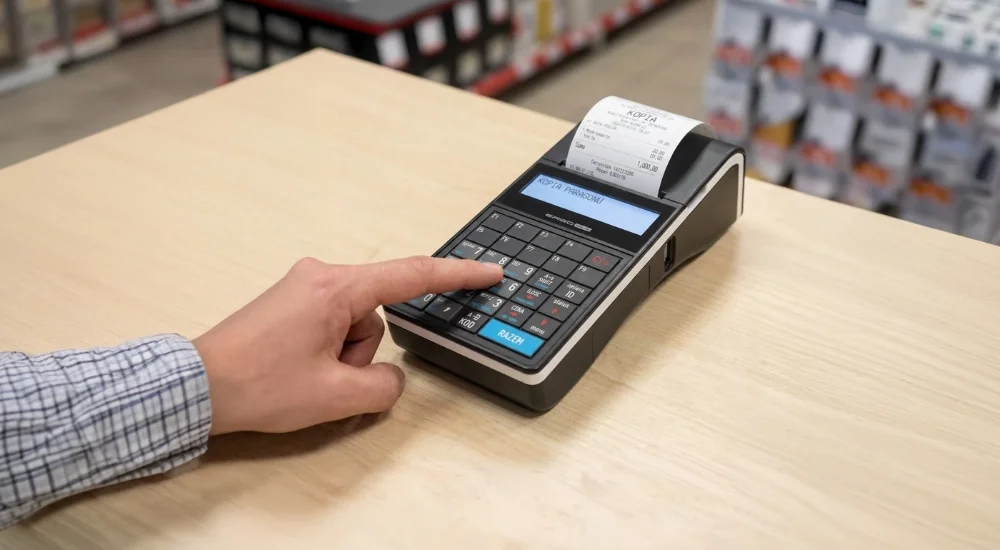
You should know that under the law, a document such as a "receipt duplicate" with the legal force of an original simply does not exist. What you print from the cash register is merely a non-fiscal reflection of the transaction, but it is entirely sufficient for a customer to make a return or submit a complaint. To obtain it, you should enter the archive menu of your online cash register and search for the transaction.
Instructions: How to generate a copy from the cash register memory?
The procedure is exceptionally intuitive, although individual menu names may vary depending on the device manufacturer. Follow these four steps:
Enter the cash register menu (usually, simply pressing "MENU" or "FUNCTIONS" is enough).
Navigate to archiving options (look for sections such as: "Electronic copies", "Print from protected memory", or "Transaction log").
Define search criteria (the system will ask you to enter a date, receipt number, buyer's NIP, or select the "last printout" option).
Confirm the printout (the cash register will generate the document, often marked with the word "COPY").
If a customer asks for a printout of a document with a NIP, proceed in the exact same way. Such a non-fiscal copy, combined e.g. with a bank statement, will facilitate the customer's accounting process and applying for an invoice.
What to do when the cash register refuses to cooperate?
If a malfunction prevents printing directly from the device, you should accept alternative proofs of purchase.
Acceptable alternatives | Why is it worth accepting them? |
Bank statement from an app | Accurately indicates the date, transaction amount, and your company name. |
Legible photo of the receipt | Is sufficient proof for warranty and return purposes. |
E-mail confirmation | Constitutes solid proof in the case of orders placed online. |
Take care of the digital standard in 2026
Modern online cash registers and those with an electronic copy store all data in protected memory, allowing you to serve the customer directly from the menu. If you still use older devices with a paper copy, you have to manually search through physical rolls, which you are required to store for 5 years. Thermal paper fades over time, which can make reading data virtually impossible. You should upgrade your equipment to newer models to save time and frustration.
You can find more information on this topic in the comprehensive article by ESC SA: How to print a receipt copy from a fiscal cash register?.
Want to automate receipt management and avoid problems with faded paper? Check out modern online cash registers available at fiskasy.pl today!
What is the most difficult situation you have faced so far with a customer returning goods without a receipt?