
Fiscal printer for pharmacies
A pharmacy needs a printer compatible with its software and print requirements. Confirm the exact device version with your software supplier before purchase.
Recommended cash registers and fiscal printers
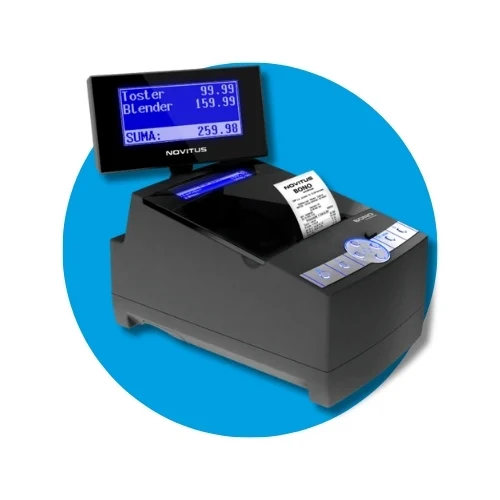
Novitus Bono Online Apteka
Efficient Novitus Bono Online fiscal printer for pharmacies. A large database and e-receipts will speed up every sale.
2790 zł netto
With 700 zł relief: 2731,70 zł gross
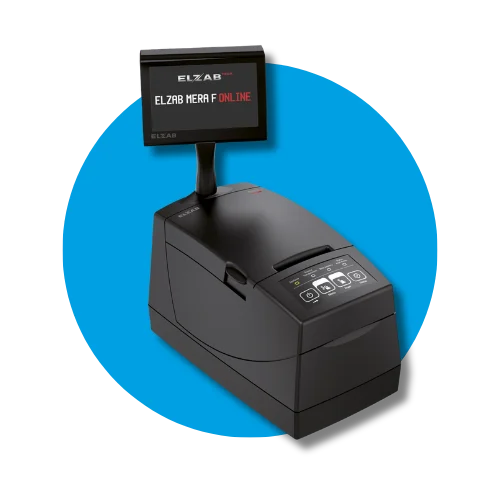
Elzab Mera F Online LAN 2100
Looking for a reliable fiscal printer for a pharmacy? Elzab Mera F Online delivers lightning-fast printing, e-receipts, and integration with medical systems.
2990 zł netto
With 700 zł relief: 2977,70 zł gross
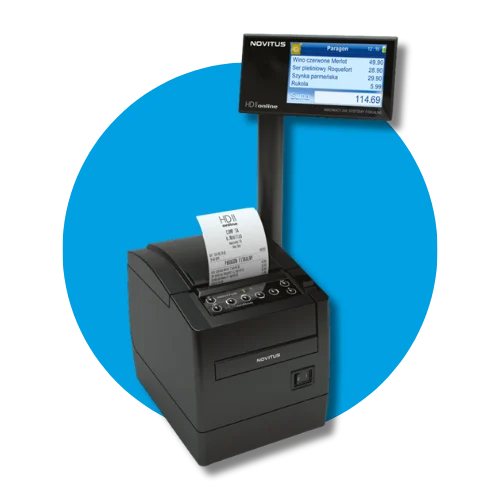
Novitus HD II Online Apteka
Novitus HD II Online fiscal printer for pharmacies. Supports e-receipts, pharmacy systems, and ads on a color screen. Discover reliable equipment built to last!
3190 zł netto
With 700 zł relief: 3223,70 zł gross
What matters when choosing?
A pharmacy needs a printer compatible with its software and print requirements. Confirm the exact device version with your software supplier before purchase.
Cash register or fiscal printer?
A cash register works independently. A fiscal printer needs sales software and a device that sends it data. Check software compatibility before buying.
Register obligation and relief up to PLN 700
The obligation depends on sales activity and exemptions. Check your case with our tool or your accountant. Relief may cover 90% of the net price, up to PLN 700, subject to statutory conditions. It is not automatic for every replacement.
Fiscalisation and tax office registration
Fiscalisation is the formal activation of the fiscal memory. At fiskasy.pl it is carried out by an authorised technician and included in the device price. An online cash register connects to the Central Register of Cash Registers by itself, so no separate visit to the tax office is needed. Remember the mandatory technical inspection every 2 years.
Integration with pharmacy software
A fiscal printer is part of a pharmacy sales system. Verify the precise software version, for example a Kamsoft solution, and supported interface and driver. The vendor name alone is insufficient: compatibility depends on the workstation and printer. Agree how to test sales, returns, corrections and connection failures. E-prescriptions and reimbursement are handled by pharmacy software; the printer does not replace these functions or access to medical services. For busy counters, check speed, cutter, roll width and paper replacement. Customer displays and cabling must fit the counter. Configure outside peak hours and test every workstation. Do not assume compatibility without the integrator’s confirmation.